ATS Resume Checker: Test Your Resume Before You Apply

Most resumes never get rejected by a human. They get rejected by parsing software before a recruiter ever opens the file. An ATS resume checker exists to catch that failure before it costs you the interview, by testing your resume the same way the applicant tracking system will read it.
What Is an ATS Resume Checker and How Does It Work
An applicant tracking system is the software companies use to collect, store, and rank job applications. When you submit a resume through a company career page or a job board, it usually doesn't go straight to a person. It goes into the ATS first, where the software extracts your text, tries to sort it into fields like work history, education, and skills, and often scores it against the job description.
An ATS resume checker simulates that process. It parses your resume file the way an applicant tracking system would, then reports back what it found and what it missed. A good checker doesn't just say "pass" or "fail." It shows you which sections it could read cleanly, which keywords it detected, and where the parsing broke down, so you can fix the actual problem instead of guessing.
This matters because ATS software isn't reading your resume the way you see it on screen. It's stripping out design, converting the file to raw text, and trying to map that text into a structured record. If the software misreads your layout, your job titles, dates, or skills can end up missing, jumbled, or attached to the wrong section, even if the resume looks perfect to your eye.
5 Signs Your Resume Is Getting Rejected by ATS Software
You usually can't see an ATS rejection happen. But certain patterns suggest it's occurring.
- You apply to many jobs you're qualified for and hear nothing back, not even a rejection email. Silence at scale is often a parsing problem, not a fit problem.
- Your resume uses tables, columns, or text boxes for layout. These are common culprits because many parsers read left to right, top to bottom, and multi-column layouts scramble the reading order.
- You've never updated your resume's keyword language to match the specific job descriptions you're applying to, relying instead on one generic version for every role.
- Your work experience is saved as an image, graphic, or heavily designed PDF from a template that prioritizes visual style over plain text extraction.
- You don't know what your resume looks like as extracted text. If you've never opened your resume in plain text or run it through a parser, you're applying blind.
None of these guarantee rejection on their own, but together they're a strong signal that your resume needs to be tested, not just proofread.
What an ATS Checker Actually Scans For (Formatting, Keywords, Structure)
A real ATS check looks at three layers, not just one.
Parsing and formatting. This is the mechanical layer: can the software correctly extract your name, contact details, job titles, companies, dates, and bullet points? Checkers flag things like tables, headers and footers holding critical info, unusual fonts, and graphics that block text extraction.
Section structure. ATS software looks for recognizable section headers like "Work Experience," "Education," and "Skills." If you get creative with headers like "My Journey" or "What I Bring," the parser may fail to categorize that content correctly, even though a human would understand it instantly.
Keyword and skills match. Once the text is extracted, most systems compare it against the job description, looking for matching hard skills, tools, certifications, and sometimes soft skills phrased in specific ways. This is where a resume that's technically parsed correctly can still score low, because the language doesn't mirror what the employer is searching for.
A checker worth using reports on all three layers separately. If it only gives you a single score with no explanation, you can't tell whether your problem is a formatting issue or a language issue, and you'll waste time fixing the wrong thing.
How to Run Your Resume Through an ATS Checker Step by Step
- Save your resume as a standard file type, typically PDF or .docx, and confirm it's the version you actually plan to submit, not an older draft.
- Upload it to an ATS resume checker and, if the tool allows it, paste in the specific job description you're targeting rather than checking your resume in isolation.
- Review the parsing report first. Confirm your name, contact info, job titles, and dates were all extracted correctly and placed in the right fields.
- Check section recognition. Make sure your experience, education, and skills sections were identified as separate, labeled blocks rather than merged into one another.
- Review the keyword match results. Note which required skills, tools, or qualifications from the job description are missing from your resume text entirely.
- Fix issues in order of severity, starting with parsing failures, since a resume the system can't read correctly won't get a fair keyword evaluation regardless of content.
- Re-run the check after each round of edits rather than fixing everything at once and hoping for the best. This confirms each fix actually resolved the flagged issue.
Running this process on LairIQ's ATS Resume Checker gives you a structured report instead of a vague pass or fail, so you know exactly which layer, formatting, structure, or keywords, needs attention before you submit.
Common ATS Formatting Mistakes to Fix Immediately
Some formatting choices cause outsized damage because they break parsing at the structural level, not just the stylistic one.
- Multi-column layouts. Even when they look clean, many parsers read across columns instead of down them, mixing job titles from one column with dates from another.
- Text in headers and footers. Contact information or job history placed in a document header or footer is frequently skipped entirely by parsing software.
- Tables for skills or experience. Table cells can be read out of order or dropped, especially in older ATS versions still used by many companies.
- Non-standard section titles. Stick to conventional headers like "Experience," "Education," "Skills," and "Certifications" so the parser can categorize your content correctly.
- Images, icons, and graphics carrying information. Skill bars, star ratings, or icon-based contact info are invisible to text extraction. If it's not real text, the system can't read it.
- Unusual fonts and special characters. Decorative fonts and symbols used as bullet points can sometimes convert into garbled characters during extraction.
If you're rebuilding your resume from scratch rather than patching an existing one, how to choose a resume builder that passes ATS checks in 2026 explains what to look for. Starting from a parsing-safe template avoids most of this list entirely.
Keyword Matching: How to Align Your Resume With the Job Description
Passing the parsing check gets your resume read correctly. Passing the keyword match gets it ranked competitively. These are separate problems and require separate fixes.
Start by pulling the exact language from the job description, specifically required skills, tools, certifications, and qualifications. If the posting says "project management software" and your resume says "Asana," add both terms where accurate. Systems often match on exact or near-exact phrasing, so synonyms alone can cause a miss even when the underlying experience is identical.
Focus on hard skills and named tools first, since these are the most heavily weighted terms in most matching systems. Soft skills like "communication" or "leadership" matter less on their own and carry more weight when they're demonstrated through a specific, quantified bullet point rather than listed as a standalone trait.
Avoid keyword stuffing. Repeating a term unnaturally or listing skills you don't actually have creates a mismatch between your resume and your interview performance, and recruiters notice quickly once you're in the room. The goal is accurate alignment, not volume.
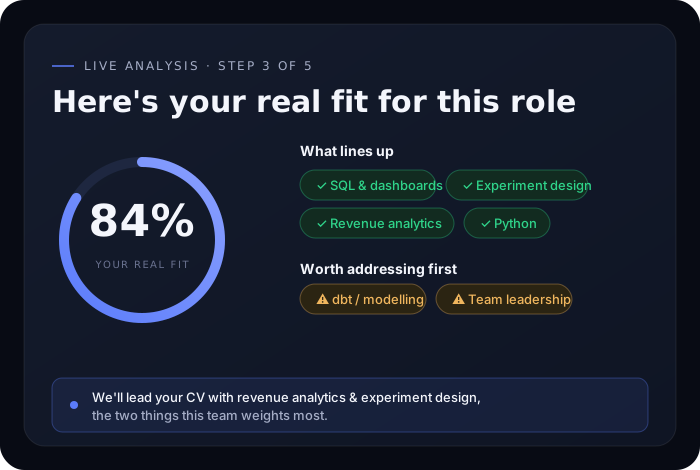
Before you tailor your resume for a specific role, confirm the role is genuinely a fit for your background. LairIQ's Job Match Score compares your actual experience against a specific job description so you can see where the real gaps are before you spend an evening rewriting bullet points for a position that was never a strong match to begin with.
ATS Checker vs Human Recruiter Review: Why Both Matter
An ATS checker and a human recruiter are evaluating different things, and optimizing for one without the other leaves you exposed.
| Reviewer | What it evaluates | What it misses |
|---|---|---|
| ATS software | Parsing accuracy, keyword match, section structure | Tone, context, career narrative, achievement quality |
| Human recruiter | Story coherence, judgment, communication style, red flags | Consistent attention to formatting details across every application |
A resume that passes ATS parsing perfectly but reads as a flat list of duties will still stall out with a recruiter. Conversely, a compelling, well-written resume that a recruiter would love may never reach them if it's built in a two-column template